JCon ERP ChatJust ask your ERP
Query data in Korean ERPs such as Douzone in plain language, without hunting through menus. It follows the conversation and answers with tables and charts.
- 01
No menu hunting
Ask the way you talk: “Top 10 customers by order amount in Q1.”
- 02
Follows the conversation
Point back to earlier answers — “the #1 one”, “that rep” — and keep going.
- 03
Shows its work
Every answer comes with the query it ran, so you can verify the result.
Real screens
Demo videos by role
Real screens recorded with sample data. Response time is not sped up. The interface and captions are in Korean.
Videos are real screens recorded with sample data; the interface and captions are in Korean. Douzone is a trademark of its owner. JCon is not affiliated with Douzone.
Checking top customers before quarter close
Questions asked in this video
- Q1“Top 10 customers by order amount, Q1 this year”
- Q2“Show only the #1 customer by month”
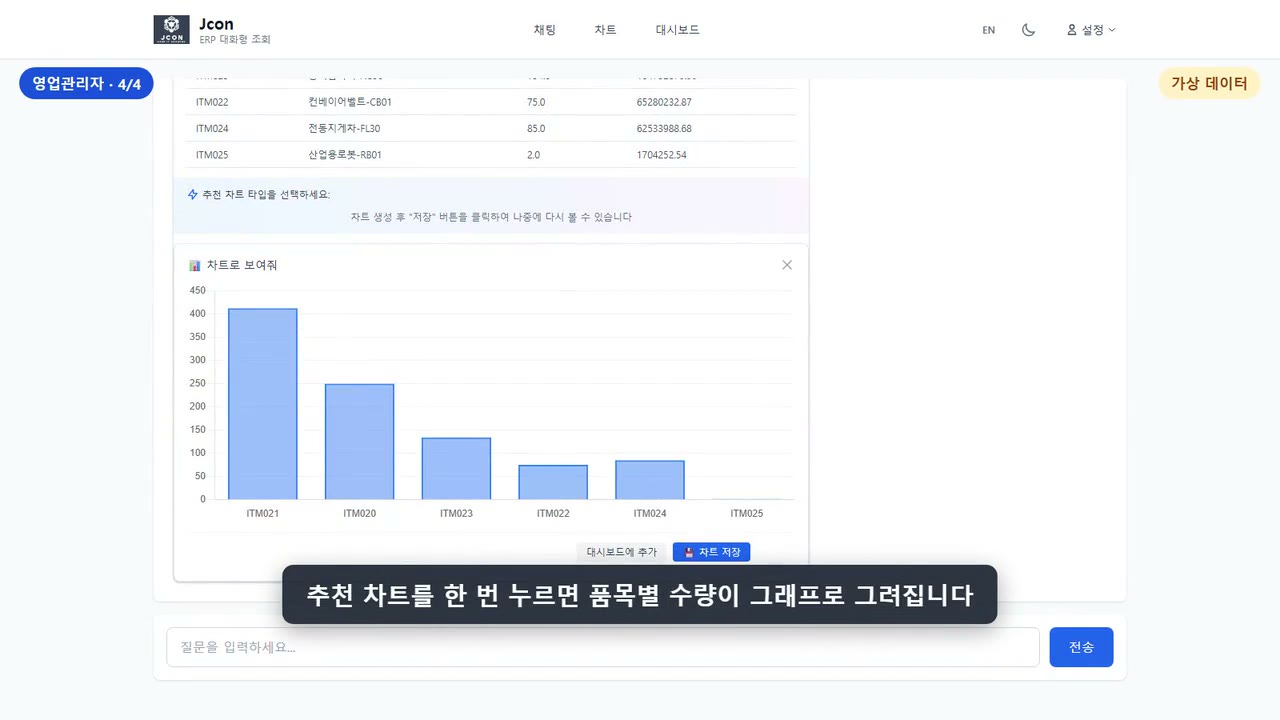
- Q3“What does that customer mostly buy?”
- Q4“Show it as a chart”
How it works
From demo to connection in three steps
- 1
Review your setup
We confirm which ERP you run and which areas you want to query (sales, purchasing, inventory, accounting).
- 2
Demo on your data
We show what answers your real business questions get before anything else.
- 3
Read-only connection
We connect to your ERP read-only. It queries data and never changes it.
FAQ
Frequently asked questions
Which ERPs does it connect to?
It targets Korean ERPs such as Douzone. We confirm compatibility after checking your product and version.
Does it change or delete ERP data?
No. It connects read-only and only queries data.
Is the data in the videos real company data?
No. It is sample data. The screens and response times are real.
Is JCon affiliated with Douzone?
No. Douzone is a trademark of its owner, and JCon is not affiliated with Douzone.
Contact
What work would you like to reduce, and what would you like to expand?
Tell us which systems you use, which work you want to reduce and which you want to expand. A person reads every message and replies directly.
You can also reach us by email or phone.